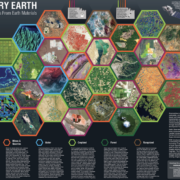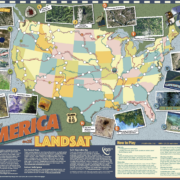

What is Earth Observation Day?
Earth Observation Day is a STEM education and outreach event of AmericaView and our partners. Celebrated in 2012 on April 11th, the goal is to introduce teachers and students to remote sensing through local land use - land cover mapping activities. Why land use? Because land use influences important local ecological and socio-economic conditions, including human health and wellness, soil permeability, stream flow and water quality, wildlife habitat, and climate. Mapping local land cover is an easy and engaging way to introduce remote sensing technology and critically important spatial thinking skills, and is one way to foster a richer, more powerful scientific and cultural understanding of the local environment.
Why Landsat Images?

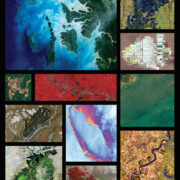
Landsat images date back to 1972 and are the longest, most comprehensive set of satellite data on Earth and its features. They are an exciting, easy to use, and freely available educational resource for teachers of all levels, from elementary to graduate school. Landsat images and derived products such as land cover maps (at the right, showing developed areas in pink and red, forested areas in green, agricultural areas in yellow, and water in blue), tree canopy cover maps, and soil permeability maps can be used in a wide variety of STEM disciplines including physical and life sciences. Landsat images also support exploration and investigation in interdisciplinary subjects such as geography, social studies, political science, even history. Furthermore, Landsat is perfectly suited to help meet the current need to strengthen STEM education and teach interdisciplinary subjects such as Earth system science and environmental studies. Thus, Land cover mapping using Landsat and related free imagery helps to meet science content standards and objectives in Physical Science, Life Science, Geography (including critically important spatial thinking skills), as well as Inquiry Standards and 21st Century Learning objectives.
Support for Teachers
One of the unique features of Earth Observation Day is that AmericaView scientists, all of whom are experts in remote sensing and related geospatial technologies, are available to support teachers in their respective states in Earth Observation Day activities.
'Support' can come in various ways, either by answering questions about the lessons and activites, or by pointing teachers toward other resources, or by offering to talk with students in the classroom, if possible. AmericaView scientists are committed to helping K-12 teachers as they expand their horizons and begin to integrate remote sensing as a teaching tool in their classrooms.
For infomation about K-12 use of Landsat images on Earth Observation Day, April 11th, 2012, contact Rick Landenberger, AmericaView Executive Director. A 'white paper' explaining Earth Observation Day in more detail is available here.
AmericaView Remote Sensing Scientists have Developed a Set of K-12 Remote Sensing Land Cover Lessons to Support Earth Observation Day
Grades K-2: State Landsat Mosaic Puzzle Lesson
The State Landsat Mosaic puzzle lesson introduces physical geography and satellite images. In particular, it introduces the Landsat Statewide Mosaic, a composite image of each state created from several Landsat images shown in natural color as would be seen by a person traveling on the satellite. The objective is to introduce students to satellite images showing their state’s natural and man-made features. These might include mountain ranges, grasslands, agricultural areas, urban areas, deserts, and forests. Teachers will identify a few of the most obvious features and talk about them in the spatial context of geography, including where they are with respect to other features, their size, their shape, and their basic physical and biological geography. The students then get their own copy of the statewide mosaic map, and they can cut out areas that 'stand out' on the map (mountain ranges, the Imperial Valley, Mohave Desert, etc.). The 8.5" x 11" full-color mosaic is available here. The national education standards associated with the lesson are located here.

This lesson was developed by Pia van Benthem at the University of California at Davis. Pia is the CailforniaView Coordinator, as well as Outreach Coordinator in the Department of Land, Air, and Water Resources at UC Davis. Her background is in engineering and community outreach, and she is the Co-Chair of the California SpaceGrant K-12 Education Working Group where she supports STEM education and geospatial technology, in particular.
Pia would be glad to support any teachers who would like use it. For questions, please feel free to contact Pia by email or call her at 530-752-0857.
Grades K-16: Interactive Introduction to Remote Sensing Imagery - Land Cover Change Detection Lesson
The interactive introduction to remote sensing lesson is an online memory puzzle that students use to strengthen their skills in identifying patterns and features on the Earth’s surface. Students ‘turn over’ images and try to recall where the matching image is located in the puzzle. Additional information on each image is located by clicking on the image. The objective is to complete the puzzle in the fastest time. In addition to strengthening pattern and feature identifiction skills, the lesson familiarizes students with landscape change over time, and the impact of the changes on the biosphere, including humans, animals, and plants. Students match satellite imagery of the same location acquired over two different time periods to explore landscape changes at various locations around the world. There are several lesson possibilities, each suited to a specific grade level.
This lesson was also developed by Pia van Benthem. Pia would be glad to support any teachers who use these lessons. For questions, please feel free to contact Pia by email or call her at 530-752-0857.
Grades 6-9: Google Earth Introduction to Remote Sensing
The Google Earth Introduction to remote sensing lesson teaches middle and high school students how to use Google Earth to explore the area and topography around their houses and neighborhoods. Students create a Placemark at their house and describe their town’s topography in simple, concrete terms. This lesson should be completed before starting the next exercise, Understanding Land Use and Land Cover Using Google Earth. It can be adapted by teachers to increase knowledge and complexity, by adding supplemental readings and / or additional mapping questions. Linked national education standards can be found here.

The Google Earth introductory lesson was developed by Rick Landenberger, the AmericaView Executive Director and faculty member in the Department of Geology and Geography at West Virginia University in Morgantown. Rick is a forest ecologist and remote sensing scientist by training. In the past ten years he has been working in K-12 STEM education and professional development, supporting West Virginia teachers in the use of geospatial technology in the classroom. Rick would be glad to support any teachers who use the lesson. For questions, please feel free to contact Rick by email or call him at 304-293-9468.
Grades 6-9: Understanding Land Use and Land Cover Using Google Earth
The Understanding Land Use and Land Cover Using Google Earth lesson teaches middle and high school students how to use Google Earth to create a simple land use map of the area around their school. In it, students will learn the difference between land use and land cover, the difference between natural and man-made features, and basic mapping skills including feature identification and polygon / area delineation. The lesson can be adapted by teachers to increase knowledge and complexity, by adding supplemtnal readings and / or additional mapping questions.
This lesson was also developed by Rick Landenberger. Rick would be glad to support any teachers who use it. For questions, please feel free to contact Rick by email or call him at 304-293-9468.
Grades 6-12: Introduction to ArcGIS Explorer - Land Use and Land Cover
The Introduction to ArcGIS Explorer lesson teaches middle and high school students how to use ArcGIS Explorer, a free browser-based GIS, to investigate local land cover change. ArcGIS Explorer uses data from the National Land Cover Data Set, including land cover maps, impervious surfaces maps, and tree canopy cover maps. Students explore the maps, identify areas that have specific land cover characteristics, and look for areas where land cover change has recently occurred.
![]()
This lesson was developed by John 'Jay' Morgan at Towson University in Baltimore, Maryland. Jay is the Director of MarylandView, a Professor of Geography and Environmental Planning, and organizes the annual Towson University GIS conference, TUGIS. He is currently authoring a GIS textbook, and has been working with K-12 teachers for over a decade. Jay would be glad to support any teachers who use it. For questions, please feel free to contact Jay by email or call him 410-704-2964.
Grades 6-12: An Introduction to Map Scale Using Google Earth
The Introduction to Map Scale lesson uses Google Earth to introduce students to the concept of map scale. It can also be used to support some of the questions that students are likely to ask as they work through the other lessons.

This exercise was developed by Tom Mueller at California University of Pennsylvania. Tom is a Professor of Geographic Information Systems and the Director of PennsylvaniaView. He is also the Director of the Peter J. Daley Geotechnology Institute and Director of the California University of Pennsylvania Space Grant Consortium. Tom would be glad to support any teachers who use this lesson. For questions, please feel free to contact Tom by email or call him 724-938-4255.
Land Cover Change Teacher's Guide: Land Cover Change Discussion
This document will guide teachers through some of the questions that they might develop to support their Land Cover Mapping lessons. It guides teachers through the outdoor mapping activity described in the ArcGIS Explorer lesson, and provides a series of questions that reinforce the lessons that explore land cover in the other exercises. It was jointly developed by the four authors above. Please feel free to contact any of the authors above with questions associated with the guide.
Remote Sensing Tutorials
Tutorials are arranged in order, from simple, introductory information appropriate for elementary school science teachers to advanced, technical information more appropriate for middle, high school, and undergraduate teachers. Each has it's own unique approach, and none are necessarily better or worse than the others. They are listed here by grade level, but this is done only to aid teachers in selecting the most appropriate tutorial for them, at their level of understanding.
This set of tutorials introduces Landsat imagery without any of the technical details underlying the discipline of remote sensing. It has a set of clickable images that are categorized by the type of feature shown in each image. There are images of agriculture, alluvial fans and deltas, cities, clouds, deserts, forests and mountains, glaciers, volcanoes, and water features. Some of the images are presented in colors that do not always correspond to natural colors as seen by the human eye, since Landsat images capture reflected energy in a much wider range of the electromagnetic spectrum. So, for instance, images of fallow fields in agricultural areas are shown in pink and/or red rather than brown or grey, with no explanation of why they are pink or red. The reason is that Landsat and many other satellite images capture infrared energy as well as 'visible' energy, requiring the computer to show them in a color that we humans can see. Don't let this confuse you, but use this as a way to describe the power and utility of satellite imagery - satellites 'see' much more than we do, and therefore provide very useful information that would otherwise be unavailable or extremely difficult to reconcile if they were limited to 'seeing' only what we humans can see from space. The more advanced tutorials explain this principle very effectively.
This tutorial, developed by a consortia of European science and education organizations, teaches the basics of remote sensing, organized by chapter. Chapters include physical basics - the electromagnetic spectrum, atmospheric influences and spectral reflectance properties, satellite systems - sensors and orbits, geometric, spectral, radiometric and temporal resolutions, visual image interpretation of satellite images, image processing and enhancement techniques, classification techniques - unsupervised and supervised classification. Chaters are supported by worksheets that teachers can use and/or adapt for lessons and activities on each of the chapter topics. Also included are a set of ten educational games, grouped into 'easy' and 'advanced', designed to deepen student knowledge of remote sensing.
This tutorial is structued as a course, complete with quizzes a the end of each section, and covers many of the topics cover by Dr. Shorts tutorial but in a relatively abreviated manner. It has an Introduction to the principles of remote sensing, including electromagnetic radiation, the electromagnetic spectrum, interactions with the atmosphere, radiation and target interactions, passive vs. active remote sensing, and characteristics of images. Subsequent sections cover satellites and sensors, microwave remote sensing, image interpretation and analysis, and applications. The final section contains notes for teachers and students, and a glossary. It is available in html or in pdf format as individual sections.Lessons and Activities
Exploring the Environment (K-4)
The Center for Educational Technologies at Wheeling Jesuit, with funding from NASA’s Global Climate Change Education program and NASA’s Classroom of the Future, has developed Exploring the Environment. The site contains a set of ‘Earth Action Stories’ and hands-on activities that introduce remote sensing using a story outline. The site offers an overview on remote sensing (for K-4), including pictures from space, and an introduction to radar and sonar. The hands-on activities include ‘Pixel Pages’ - find out what a pixel is and then sketch your own; Field of View - Look at things through different fields of view and see how perspective affects what you know; Puzzling Pictures - Analyze a series of puzzle pieces and draw conclusions about the unknown "big picture."NASA Imagers (K-8)
NASA Imagers is a multimedia teaching resource for elementary school teachers interested in using remotely sensed images to teach basic science. Imagers (Interactive Multimedia Adventures for Grade School Education Using Remote Sensing), is a "comprehensive Earth science education resource for the introduction of remote sensing and satellite imagery to children in grades K-8", and has two multimedia web sites - The Adventures of Amerial the Pigeon, and The Adventures of Echo the Bat. As described b the authors, "Echo the Bat and Amelia the Pigeon encompass two major components: (1) an interactive web site with a multimedia adventure game; and (2) an activity guide with lesson plans and reproducible hands-on activities. The interactive web sites are meant to engage children, while the supplemental materials enable educators to introduce the concepts through hands-on activities in the classroom. Applying this methodology, parents and teachers are able to teach Earth science using remote sensing imagery via identification of land use, exploration of featured habitats, and changes in the environment." What a great resource! A full description of Imagers is available here.
USGS Tracking Changes Over Time (5-8+)
Tracking Change Over Time lesson plan includes four parts. The first part, Getting Started, provides an overview and links the lessons to national science standards, American Association for the Advancement of Science (AAAS) Benchmarks, describes the learning goals and procedures, and has links to additinoal resources. The second part, Understanding Remote Sensing, explains the basics of remote sensing at an age-appropriate level. The third part, Using MultiSpec to Interpret Satellite Imagery, describes and shows how to use MultiSpec, a free remote sensing program that has been used for many years around the world for both teaching and research. The fourth and final part, called The Modules, demonstrate the many uses of satellite data to track different types of landscape change over time, showing students how scientists compare images like those provided in the lessons to learn more about changes taking place in a region.
USGS Earthshots (6-12)
Earthshots is a set of remote sensing lessons developed by the United States Geological Survey (USGS). The lessons, which feature a range of places and events from around the world, introduces remote sensing by showing images of environemtnal change as seen from orbiting satellites. Examples include urban areas, agricultural areas, deserts, forests, geological features, meteorological examples, water, and wildlife. Featuring a clickable map and many images of the same areas taken over several decades, many of which can be downloaded and used in a wide variety of teacher-developed lessons, the images demonstrate how our Earth is changing as a rest of various human and natural activities. Earthshots is an excellent teaching resource for classes in biology, environemental science, geography, and history. Included are links to the USGS's Earth Resources Observation and Science Image Gallery, another fantastic resource for teachers interested in cutting edge remote sensing science teaching materials. Earthshots provides a 'Help' and FAQ page here.
NASA's Earth Observatory (K-12+)
The mission of the NASA Earth Obseratory is to share a wide range of educational resources with the public, including teachers and practicing scientists. Resoures offered via the Observatory include images, maps, stories, and recent scientific findings in Earth systems science, including biology, ecology, and physical sciences such as meteorology and climate change. Topics featuresd in the Observatory include biology, heat, land, life, oceans, snow and ice, and human presence. Fcat sheets on the carbon and water cycles, aerosols, global warming, sea ice, Eath's energy budget, tropical deforestation, and a wealth of other intersting and important subjects. Scientists from several NASA research facilities, such as Goddard Space Flight Center, Ames and Langely Research Centers, The Jet Propulsion Labratory, Goddard Institude for SPace Studies, contribute to the Observatory.
Remote Sensing for Students (6-12)
According to the site’s author, “This site was created by a teacher for teachers and students. The purpose of this site is to provide directions for finding, downloading, and manipulating Landsat images so that students can use satellite images to solve environmental problems and to understand our world better.” It has links to remote sensing principles, and uses a free image processing program, MultiSpec, to perform several common processing steps. It also has a section on downloading free Landsat data from the USGS GloVis data archive.
AmericaView and the USGS Have Partnered to Offer Free State Posters
Earth Observation Day is all about engaging students in science through the use of geospatial technology, including remote sensing, GIS, and GPS. One of the easiest ways to introduce students to geospatial technology is to show students a state map developed using satellite imagery. In this spirt, AmericaView has partnered with the U.S. Geological Survey to offer a set of beautiful, information-rich posters of each state in the U.S. One of the posters was developed using a series of Landsat images 'mosaiced' together to cover the entire state. Landsat images are particulalery useful in showing broad-scale natural features of the state, such as forests, grassland, desert, and large bodies of water. A second poster shows elevation using different colors that are coded to elevation classes, developed using the U.S. National Elevation Data (NED) . The third poster celebrates Earth Observation in 2010 and is similar to the Landsat mosaic. All three are very powerful and engaging, and can be used to initiate a discussion of the physical and biological geography of each state.
To download the full set of state posters, click on the associated URL. The .zip file is compressed and includes three .jpg files: 1.) State_mosaic.jpg; 2.) State_ned.jpg; and 3.) State_poster.jpg.
Alabama (166 MB)
Alaska (102 MB)
Arkansas (183 MB)
Arizona (276 MB)
California (149 MB)
Colorado (176 MB)
Connecticut (118 MB)